Locations
How it works
Locations are optional venues (In person or Online). Assign them on the product Locations tab. The booked place is saved on the appointment for cart, emails, My Account, ICS, and Google Calendar.
What you need
- A working product with hours in Availability
- Locations & rooms (beta) on under WooCommerce → Settings → Appointments (Experimental; off by default)
Not this
- Staff stay on the product Staff tab (not on the location)
- Shared rooms are separate - Rooms & resources
Turn on the beta
- WooCommerce → Settings → Appointments
- Under Experimental, enable Locations & rooms (beta)
- Save
When the beta is off, related menus and product tabs are hidden. Past appointments still show the venue they were booked with. Location data stays saved so you can turn the beta back on.
Create a location
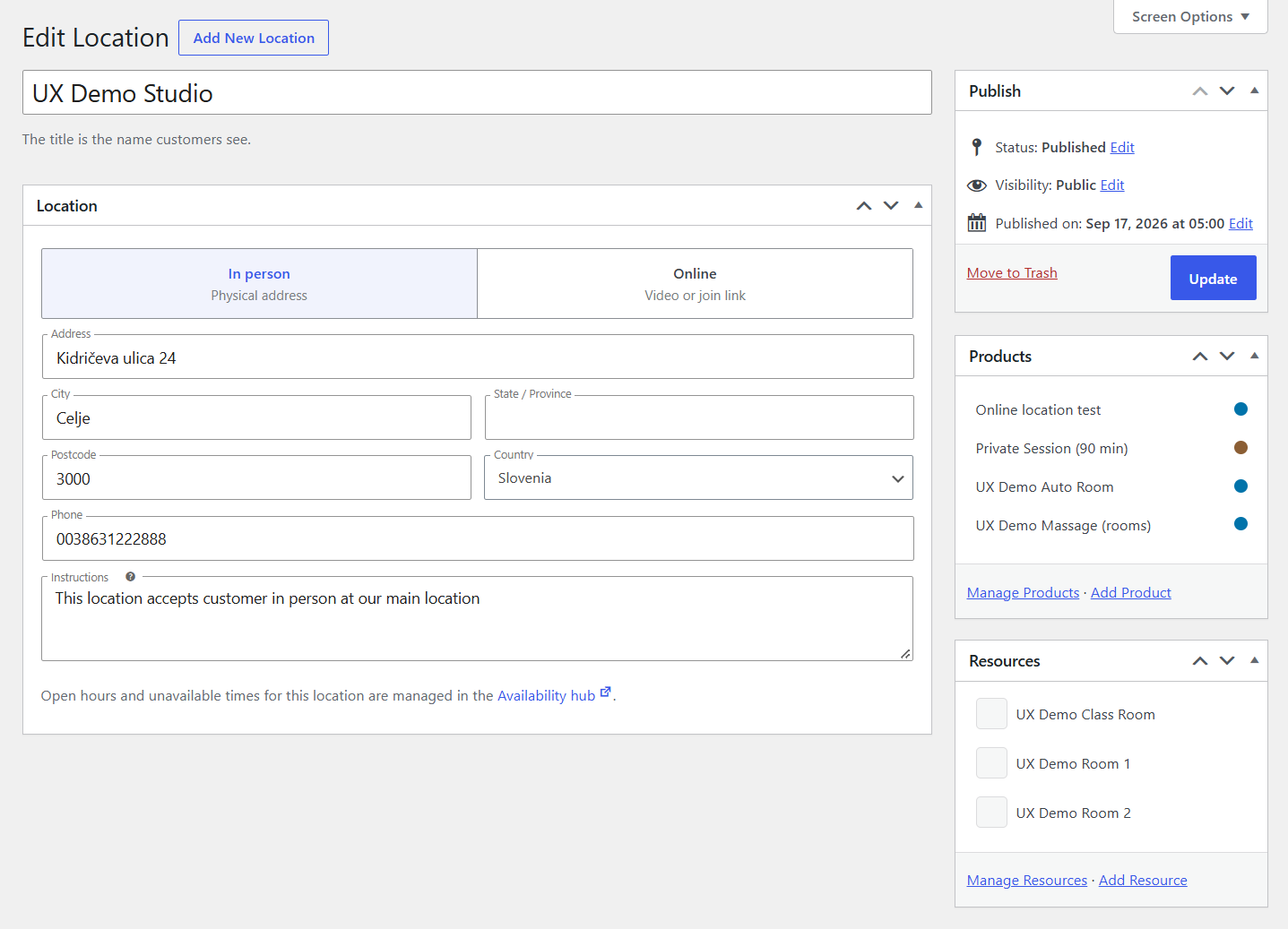
- Appointments → Locations → Add New
- Choose In person or Online
- Add a title (and address, or Join URL for Online)
- Publish
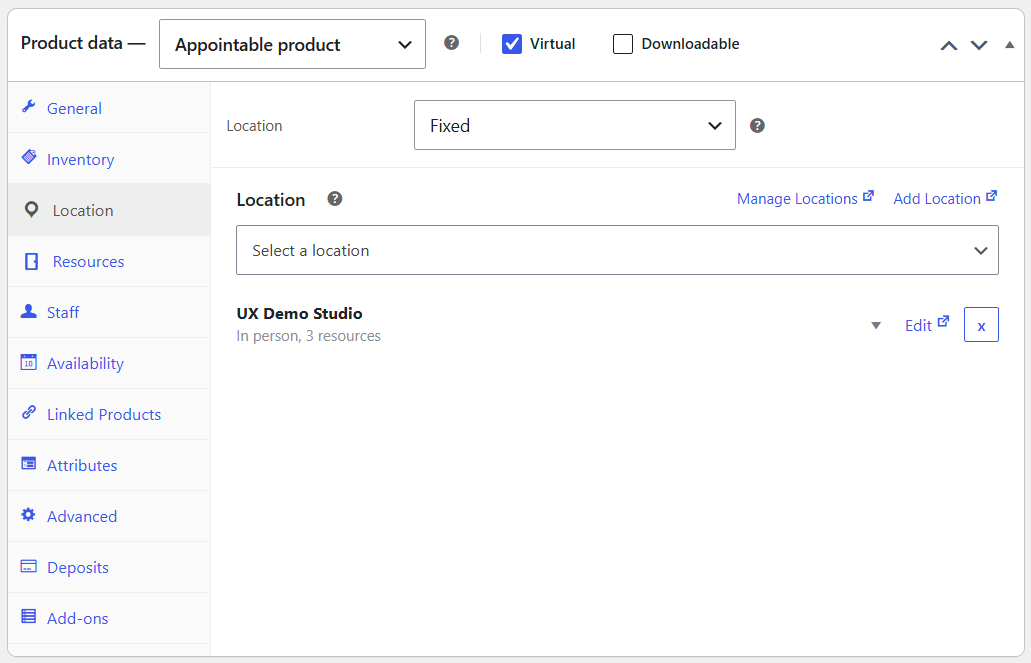
Product Locations tab
| Setting | Purpose |
|---|---|
| Location | None; Fixed, show name; Fixed; or Customer selected |
| Label | Optional storefront label for Customer selected |
| Venue list | Fixed / Fixed, show name: pick one. Customer selected: leave empty for all venues A-Z, or list two or more and drag to set order (first is the default) |
| Additional Cost | Optional extra (or discount) per venue |
| Video meeting | On Online venues: None or Google Meet |
Location modes
| Mode | Storefront / emails | Use when |
|---|---|---|
| None | No venue | Product has no place |
| Fixed, show name | One assigned venue shown in cart, checkout, thank-you, and customer emails | Single shop or room customers should see |
| Fixed | Same assignment for admin and capacity, but the name is hidden from customers (like resource Selection → Automatic) | You need the venue for capacity or Meet, without showing the address |
| Customer selected | Customer picks (or first listed is default) | Multiple venues |
With two or more Customer selected venues, the customer picks a location before staff and the calendar unlock. One published venue is used automatically when that is all you offer.
Hours for a venue (if needed) are edited in Availability on that location's row in the rail. Locations can use Range of days (whole weekdays open or closed), same as rooms.
Without staff, product Capacity is counted per location. Staff Quantity replaces Capacity globally (staff are busy at every venue). Room Max at once still applies - Inventory & capacity.
Google Meet
On the product Locations tab, set Video meeting to Google Meet for an Online venue, with Calendar sync connected. Use Fixed, show name, Fixed, or Customer selected with that venue. Details: Google Meet. A static Join URL on the location works without Meet.